
How Do You Troubleshoot a Remote Control Lamp Holder That Is Not Working
2026-02-09
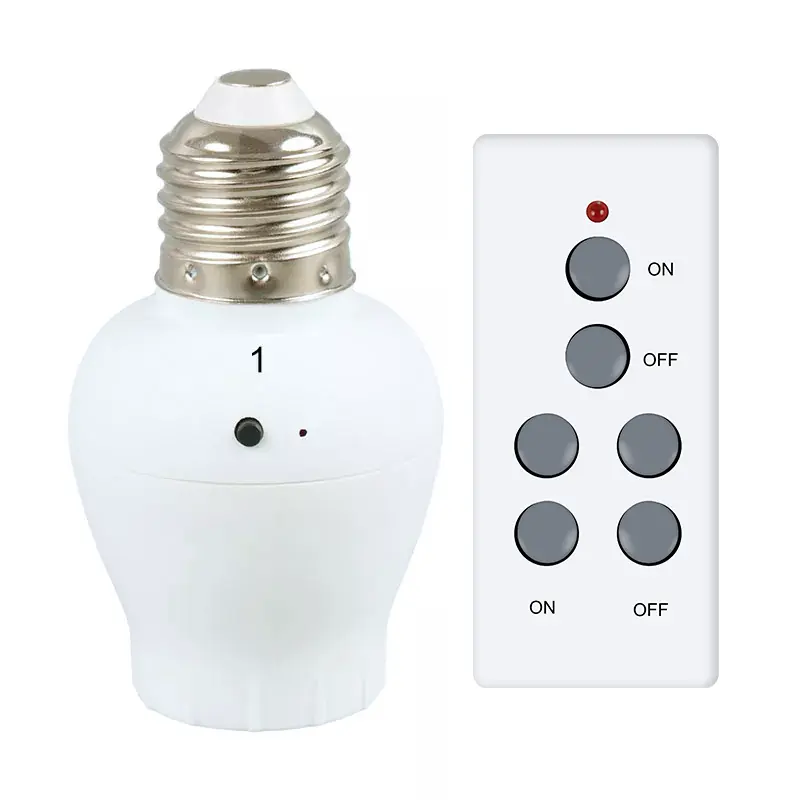
A non-functioning Remote Control Lamp Holder can disrupt your home's comfort and lighting automation. Before calling for service, a systematic approach can often identify and solve the problem quickly. This guide will help you restore your lighting convenience efficiently, ensuring your Aipulan device delivers the reliable performance you expect. Following expert troubleshooting steps not only saves time but also extends the lifespan of your device.
Step-by-Step Troubleshooting Guide
Begin with these logical checks before moving to more complex solutions.
-
Check Power Sources
-
Verify the wall switch is turned on.
-
Ensure the lamp is plugged in securely or the ceiling fixture's circuit breaker is active.
-
Replace the primary light bulb with a known-working bulb of the correct type and wattage.
-
-
Inspect the Remote Control
-
Replace the remote's batteries with new ones. This is the most common fix.
-
Check for any physical obstructions between the remote and the Remote Control Lamp Holder.
-
Test the remote at a closer distance (within 10-15 feet).
-
-
Reset the Device
Most modern holders, like those from Aipulan, have a simple reset function.-
Turn the wall switch or main power off for 30 seconds, then turn it back on.
-
For paired remotes, consult the manual to re-sync the transmitter and receiver.
-
Remote Control Lamp Holder FAQ
Q: Can I use an LED bulb with my Aipulan Remote Control Lamp Holder?
A: Absolutely. Aipulan lamp holders are fully compatible with LED, CFL, and incandescent bulbs. For optimal performance and dimming functionality, we recommend using high-quality, dimmable LED bulbs.
Q: Why does my remote control have a short range suddenly?
A: Reduced range is typically due to weak batteries. If new batteries don’t help, check for new radio frequency interference from other electronics. Also, ensure the Aipulan holder’s receiver isn't obstructed by dense materials like metal fixtures.
Q: The light turns on but won't dim with the remote. What's wrong?
A: First, confirm you are using a dimmable bulb. If the bulb is compatible, try resetting the system by turning the power off and on. If the issue persists, the dimming circuit in the holder or remote may require professional attention.
When to Seek Professional Support
If all troubleshooting fails, a deeper issue may be present. Refer to the table below to diagnose potential problems.
| Symptom | Possible Cause | Recommended Action |
|---|---|---|
| No response from remote or switch | Internal receiver failure | Professional inspection needed |
| Remote works intermittently | Severe signal interference or faulty remote | Try resetting; contact support |
| Flickering or buzzing light | Incompatible bulb or faulty dimmer module | Switch to a certified dimmable bulb |
Persistent electrical issues should always be handled by a qualified electrician to ensure safety.
A functional Remote Control Lamp Holder is key to a smart, convenient home. By following this guide, you can solve most common issues and enjoy the seamless automation your Aipulan product is designed to provide. However, for persistent technical problems or safety concerns, professional assistance is the best course of action.
Contact us today if your Aipulan device requires further support. Our expert team is ready to help you achieve perfect lighting control.