

How Do You Install and Use an FR Surge Protector Socket for Maximum Protection
2026-04-20
Electrical safety begins with the right device and correct practices. An FR Surge Protector Socket from Aipulan offers advanced fire-resistant protection against voltage spikes. However, maximum protection depends on proper installation and daily usage habits. This guide explains how to install, use, and maintain your FR Surge Protector Socket to safeguard valuable electronics.
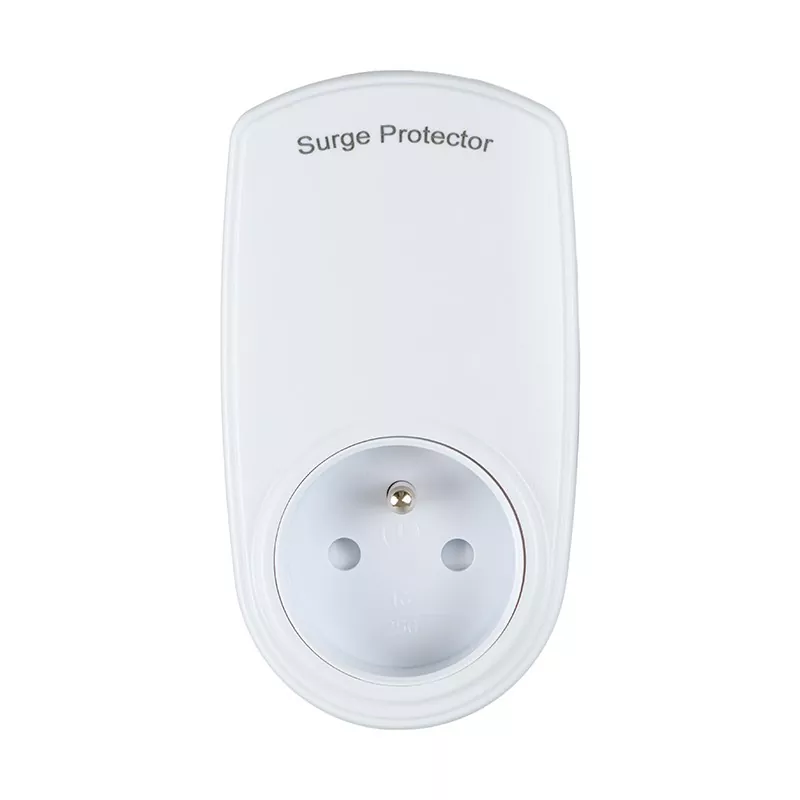
Step 1: Choose the Right Location
Before installation, assess your environment. Place the FR Surge Protector Socket away from water sources, direct sunlight, and heat-emitting appliances. Ensure easy access to unplug devices during storms.
| Consideration | Recommended Action |
|---|---|
| Distance from water | At least 3 feet away from sinks or windows |
| Ventilation | Leave 2 inches clearance on all sides |
| Load capacity | Do not exceed 1800W (15A) for standard units |
| Plug type | Verify grounded 3-prong outlet compatibility |
Step 2: Install Correctly
-
Turn off power at the circuit breaker.
-
Insert the FR Surge Protector Socket firmly into a wall outlet—not into another power strip.
-
Press the reset button until the indicator light turns green. This light confirms surge protection is active.
-
If the light is off or red, replace the unit immediately.
Aipulan models include an audible alarm for damaged protection circuits, adding an extra safety layer.
Step 3: Use for Maximum Protection
Once installed, follow these rules:
-
Do not daisy-chain multiple FR Surge Protector Socket units.
-
Avoid high-power appliances like refrigerators or space heaters.
-
Perform monthly checks of indicator lights and physical damage.
-
Replace every 2–3 years or after a major surge event.
Aipulan recommends registering your product online to track warranty and replacement alerts.
FR Surge Protector Socket FAQ
What is the difference between a standard power strip and an FR Surge Protector Socket?
A standard power strip only multiplies outlets without any safety features. An FR Surge Protector Socket includes metal oxide varistors (MOVs) that divert excess voltage to ground. Aipulan models also add flame-retardant casing and thermal fuses that cut power if internal temperatures exceed safe limits. Without surge protection, a spike can instantly destroy sensitive electronics like computers or TVs.
How do I know if my FR Surge Protector Socket still works after a lightning strike
Check the indicator light. If the green protection light is off, the MOVs have sacrificed themselves to absorb a surge. Aipulan sockets also feature an audible beep pattern—three short beeps mean the protection circuit is depleted. Even if the power outlets still work, you must replace the unit immediately. Operating without surge protection leaves your devices vulnerable to the next spike.
Can an FR Surge Protector Socket prevent damage from a direct power outage or brownout
No. Surge protectors handle voltage spikes (over 110-120V), not sags or blackouts. For brownouts (low voltage), you need a UPS (uninterruptible power supply). However, Aipulan FR Surge Protector Socket includes over-current protection that shuts off during severe voltage drops caused by short circuits. For complete home protection, pair the socket with a whole-house surge suppressor installed by an electrician.
Comparison: Aipulan FR Surge Protector Socket vs. Standard Outlet
| Feature | Standard Outlet | Aipulan FR Surge Protector Socket |
|---|---|---|
| Surge suppression | None | 1200 Joules minimum |
| Fire-resistant rating | No | UL94 V-0 flame retardant |
| Response time | N/A | <1 nanosecond |
| Indicator light | No | Yes (green = protected) |
| Replacement reminder | No | Audible alarm |
Contact Us
For bulk orders, technical specifications, or custom FR Surge Protector Socket solutions, reach out to Aipulan directly. Visit the official website to access installation videos, warranty registration, and 24/7 customer support. Contact us today to secure your home or office with industry-leading surge protection.