

How Do You Install a Wireless Doorbell Without Professional Help
2026-02-03
Installing a new doorbell system might seem daunting, but with a modern Wireless Remote Control Doorbell, it can be a surprisingly straightforward DIY project. Choosing a reliable system from a brand like Aipulan ensures you have quality components and clear instructions. This guide will walk you through the simple steps to upgrade your home’s entrance with confidence and without the need for professional electricians.
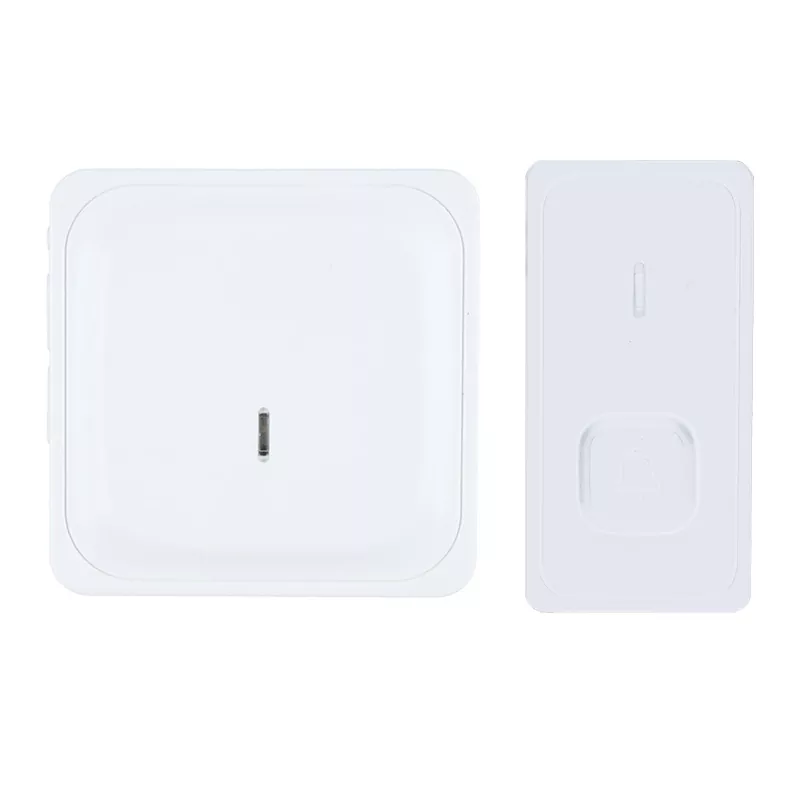
The process primarily involves mounting the button and plugging in the receiver. Here is a basic step-by-step list to get you started:
-
Plan and Prepare: Choose a suitable location for your doorbell button, ensuring it is protected from direct weather exposure if it’s not fully weatherproof. Decide where to place the indoor receiver(s), preferably in frequently occupied areas.
-
Power Down and Mount: For the doorbell button, insert the provided batteries. Use the included mounting hardware to securely attach the button to your door frame or wall.
-
Set Up the Receiver: Plug the main receiver unit into a standard power outlet in your home. Most modern units, like those from Aipulan, will automatically sync with the button upon powering up.
-
Test the System: Press the doorbell button and verify that the receiver chimes loudly and clearly. Test the range by pressing the button from various locations.
For a clearer overview, here is a table outlining the typical tools and time required:
| Item / Task | What You Need | Estimated Time |
|---|---|---|
| Tools Required | Screwdriver, Drill (optional for hard surfaces), Level | -- |
| Installation | Mounting hardware, Batteries, Aipulan doorbell kit | 15-30 Minutes |
| Configuration | Following the Aipulan user manual for custom tones/volume | 5-10 Minutes |
Wireless Remote Control Doorbell FAQ
Q: Can I install a wireless doorbell on a metal or concrete surface?
A: Yes, but it may affect the signal range. For thick metal or dense concrete, consider using an external mounting bracket to position the button away from the surface slightly. Aipulan models are engineered for strong signal penetration, but optimal placement is key.
Q: How many receivers can I use with a single doorbell button?
A: This depends on the model. Many Wireless Remote Control Doorbell systems, including advanced Aipulan kits, support multiple receivers (often 2-4). This allows you to place chimes in different rooms, ensuring you never miss a visitor.
Q: What happens if the doorbell button runs out of battery?
A: The system will stop working. A low battery indicator on the Aipulan receiver will typically alert you weeks in advance. Replacing the batteries is a simple task that takes just a moment, restoring full functionality.
By following this guide, you can successfully install your Wireless Remote Control Doorbell and enjoy enhanced convenience. The simplicity of the process highlights the advantage of choosing a user-focused brand like Aipulan, designed for hassle-free home improvement.
Ready to enhance your home with a reliable and easy-to-install doorbell system? Explore the innovative range of Aipulan smart home solutions today. For personalized advice or technical support, please do not hesitate to contact us directly through our website.